Guide every client from goals to a signed report, all in one app.
Fincloud creates affordable, professional financial solutions for financial services representatives.
One guided flow, start to finish
A needs analysis shouldn't mean an evening of formulas, copy-paste and PDF wrangling.
Enter details once. The calculations, coverage tiers and report build themselves.
Every client gets the same guided process and the same math, with no formulas to break.
Needs, FIN#, budget, dashboard and PDF report in one place.
Clear tiers and a polished report make your advice easy to say yes to.
Built around how Canadian insurance agents run a client meeting.
Coverage calculators with Essential, Recommended and Best tiers. Record when a client declines, and why.
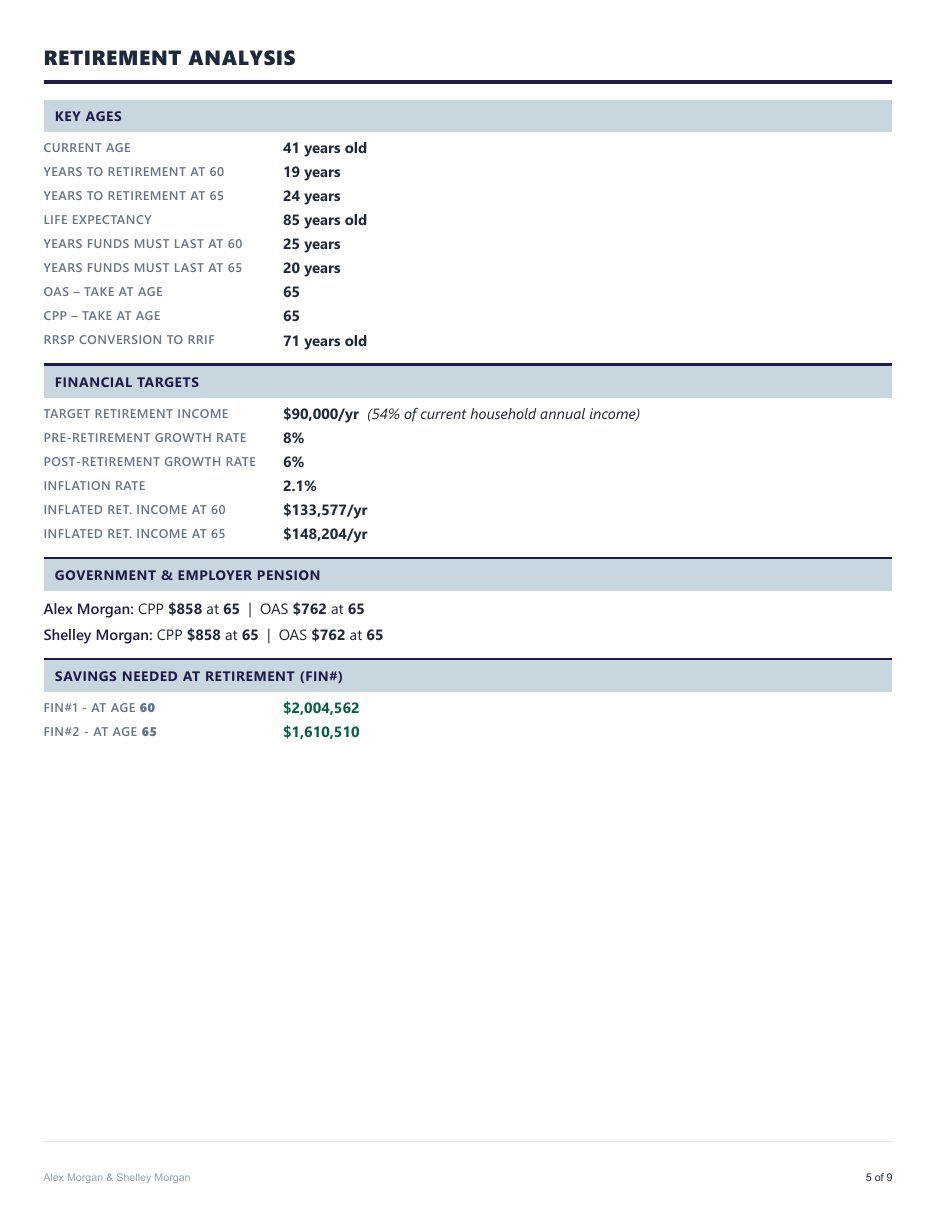
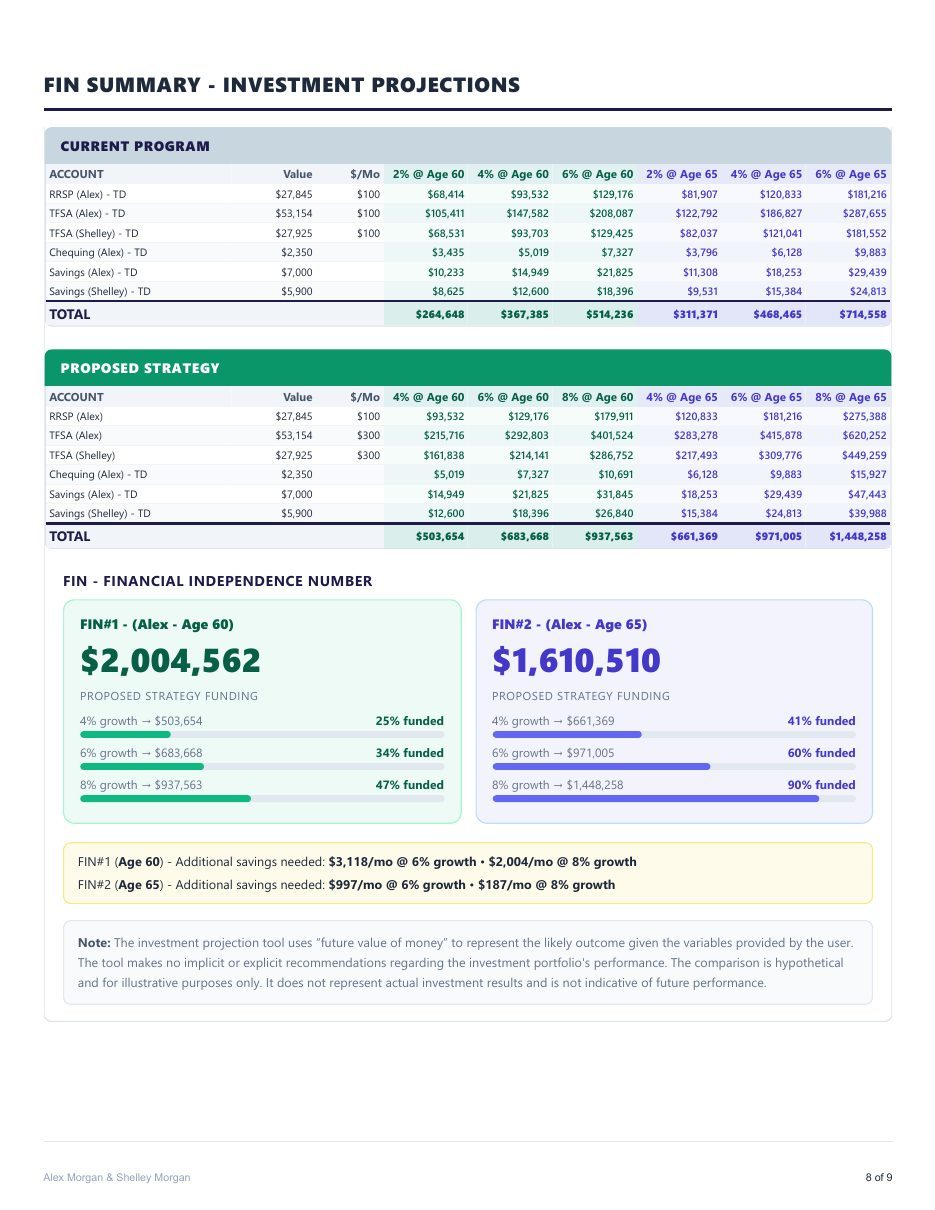
Work out the savings needed at retirement using age, life expectancy, inflation, investment and pension assumptions, including CPP and OAS.
Build the client's budget in the meeting, or download a blank worksheet and email it for them to fill in.
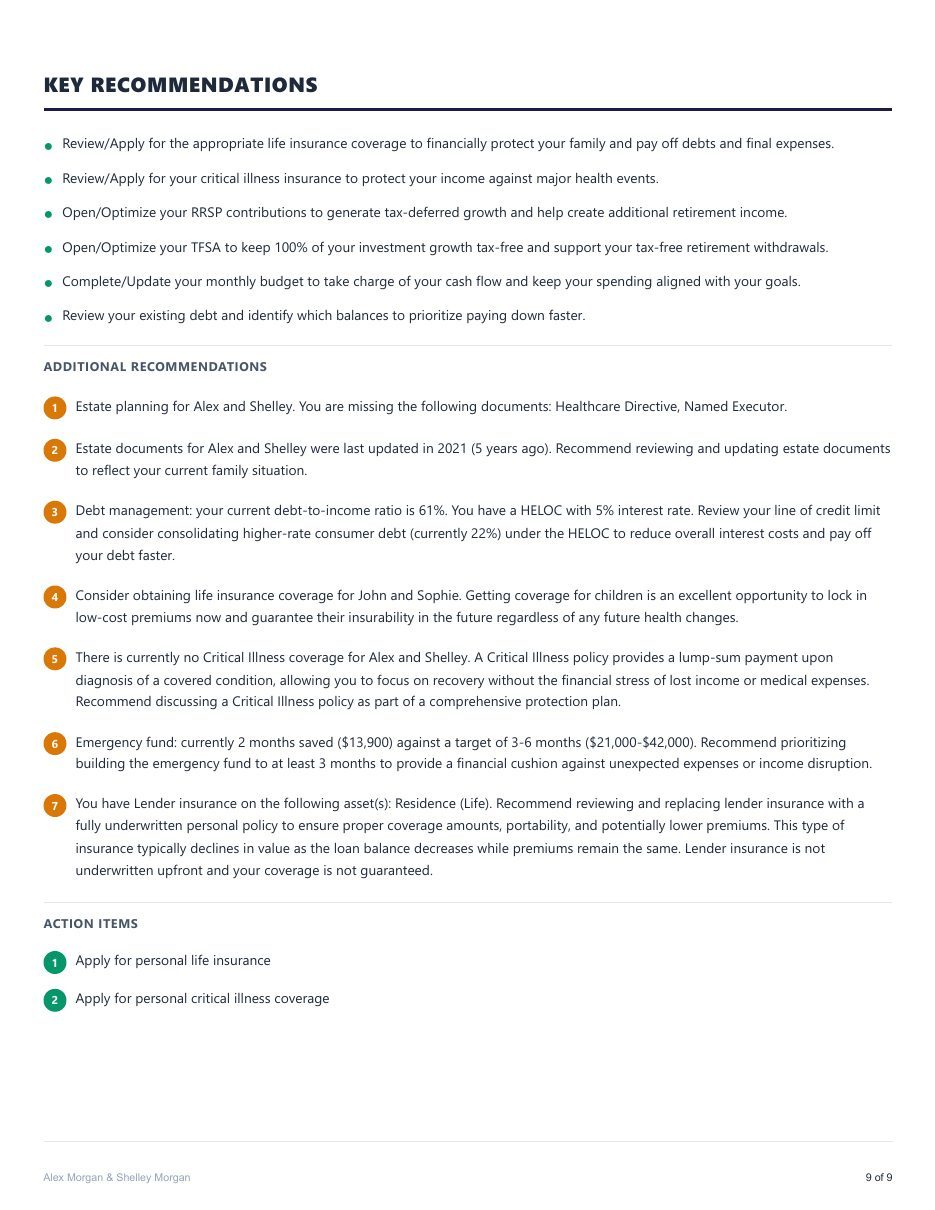
Pick what to include, then export a draft or final report your client can keep.
A compliance checklist and an agent disclosure form listing your contracted companies, with decline reasons auto-filled.
See a client's whole picture on one page, with an overall protection and retirement score and space for meeting notes.
Choose per client file whether to encrypt it. Encrypted files are locked with your own passphrase using AES-256 encryption, so a lost or shared file stays unreadable without it.
Each analysis gives Essential, Recommended and Best tiers, so clients see a clear range.
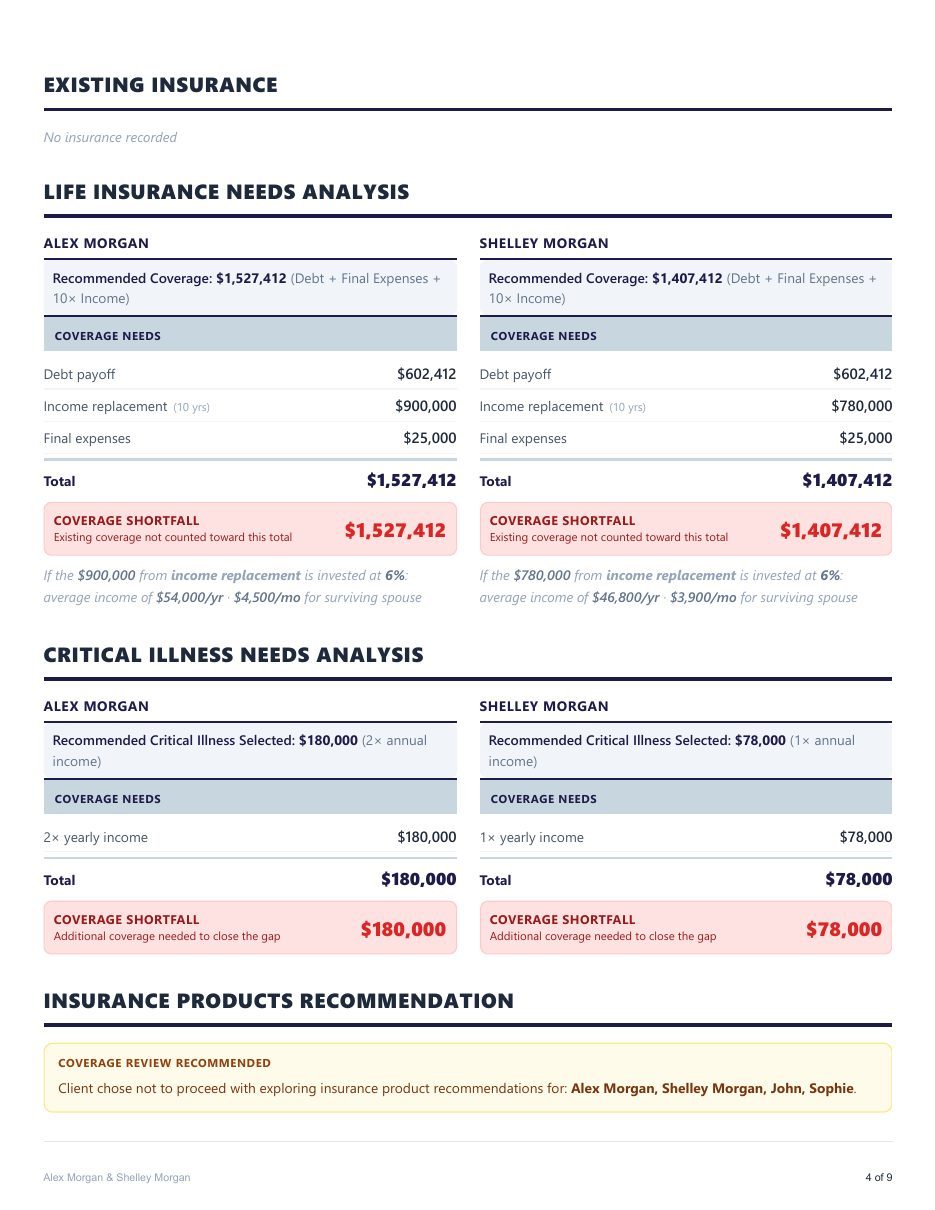
Pay off debts, replace income (10× yearly income), cover final expenses and fund education at $100,000 per child, then compare with existing coverage.
Lump-sum coverage based on yearly income, so a diagnosis does not drain savings or force the family to change course.
Monthly income protection if illness or injury stops your client from working, shown as a share of monthly income.
Savings needed at retirement for a target and a later retirement age, using employer pensions, inflation and your investment assumptions.
Choose the sections, add your details, and export a draft or final PDF.
Include only what the meeting covered. Your logo, photo and signature print on the report, and your compliance forms are included.
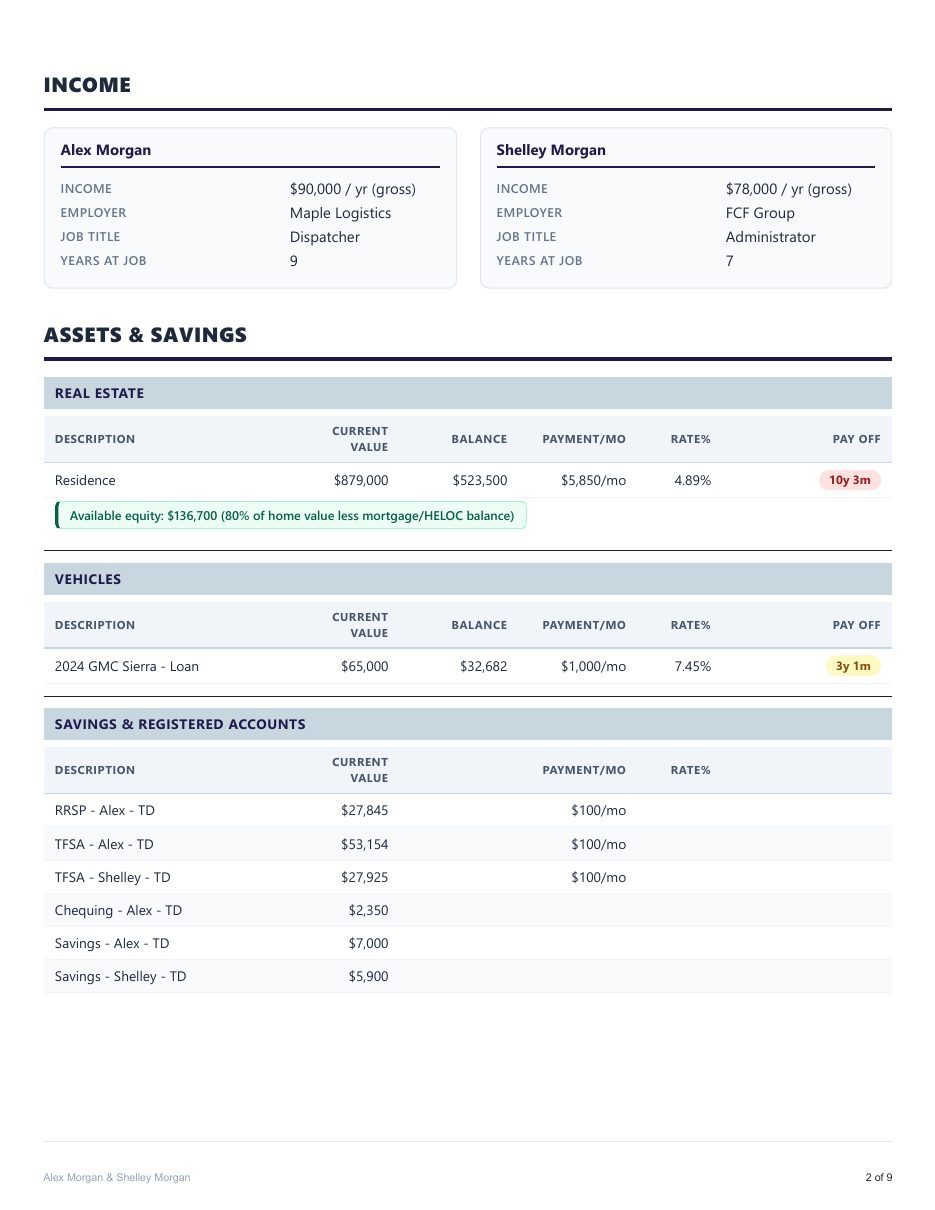
Sample report for a fictional client.
FNA Pro saves client information to files on your own device. It is not sent to or stored on our servers.
Client files are saved only to your own computer, so you stay in control of where they live and how they are backed up.
Encrypt any client file with a passphrase only you hold, using AES-256 encryption.
The license check sends only your signed-in email and license status. Never client data.
Build the budget in the meeting, or email the client a blank worksheet. Net income, savings, expenses and what's left over show on the client dashboard, with every expense category charted.
Try everything for 30 days, then pick the plan that fits. All prices in CAD.
Full access. No credit card needed.
Works out to $18.32/mo. Pay once a year and save a month. New accounts get 30 days free first.
Flexible. Billed monthly and cancel whenever you like.1 New accounts get 30 days free first.
Choose Annual or Monthly and you log in once, then go straight to secure checkout. New accounts keep their 30 days free and are billed when it ends. Taxes may apply.
A Financial Needs Analysis (FNA) is an assessment that helps an advisor work out how much insurance and retirement savings a client needs. It looks at income, assets, debts, dependents and goals to find protection gaps, and it forms the basis of conversations about life, critical illness and disability coverage and retirement.
A complete analysis covers income replacement for the family, outstanding debts such as mortgages and loans, final expenses, education funding for children, and retirement income and savings needs. FNA Pro also adds a household budget and a client dashboard.
You enter the household details once, then move through goals, income, assets, liabilities, insurance, needs analysis, the FIN# retirement calculator and the budget. FNA Pro calculates coverage tiers and savings needed, and you export a PDF report with your compliance forms.
Yes. Choose which sections to include, add your logo, photo and signature, and review or edit the wording of the consent form, agent disclosure form and footer. You can export a draft or a final version.
Client files are saved to your own device, not to our servers, and you can encrypt any file with a passphrase only you hold. The sign-in check sends only your email and license status. See our privacy policy for details.
Sign in at fna.fincloud.ca with your email and your 30-day trial starts automatically. Full access, no credit card required.
You can still open, view and export your saved client files. To start new clients or edit existing ones, choose a monthly or annual plan inside the app.
Yes. Cancel a monthly plan whenever you like. If you cancel an annual plan you keep access until the end of the year you've paid for, with no further renewal.
You choose for each client file. When you create a file you can set it to Encrypted, which locks it with your own passphrase using AES-256 encryption. Keep that passphrase safe: FNA Pro has no way to recover it, so a forgotten passphrase means the file can't be opened. Files you leave unencrypted are saved normally.
No. FNA Pro runs in your browser, and you can optionally install it as an app on your laptop, tablet or phone.
Email support@fincloud.ca anytime.
Try FNA Pro free for 30 days. No credit card, no commitment.